

Since our initial release a little over a month ago, we’ve been hard at work making Kiveo the best place for readers. We are excited to announce our first major update, packed with new features and many improvements across the app.
Let’s jump into it.
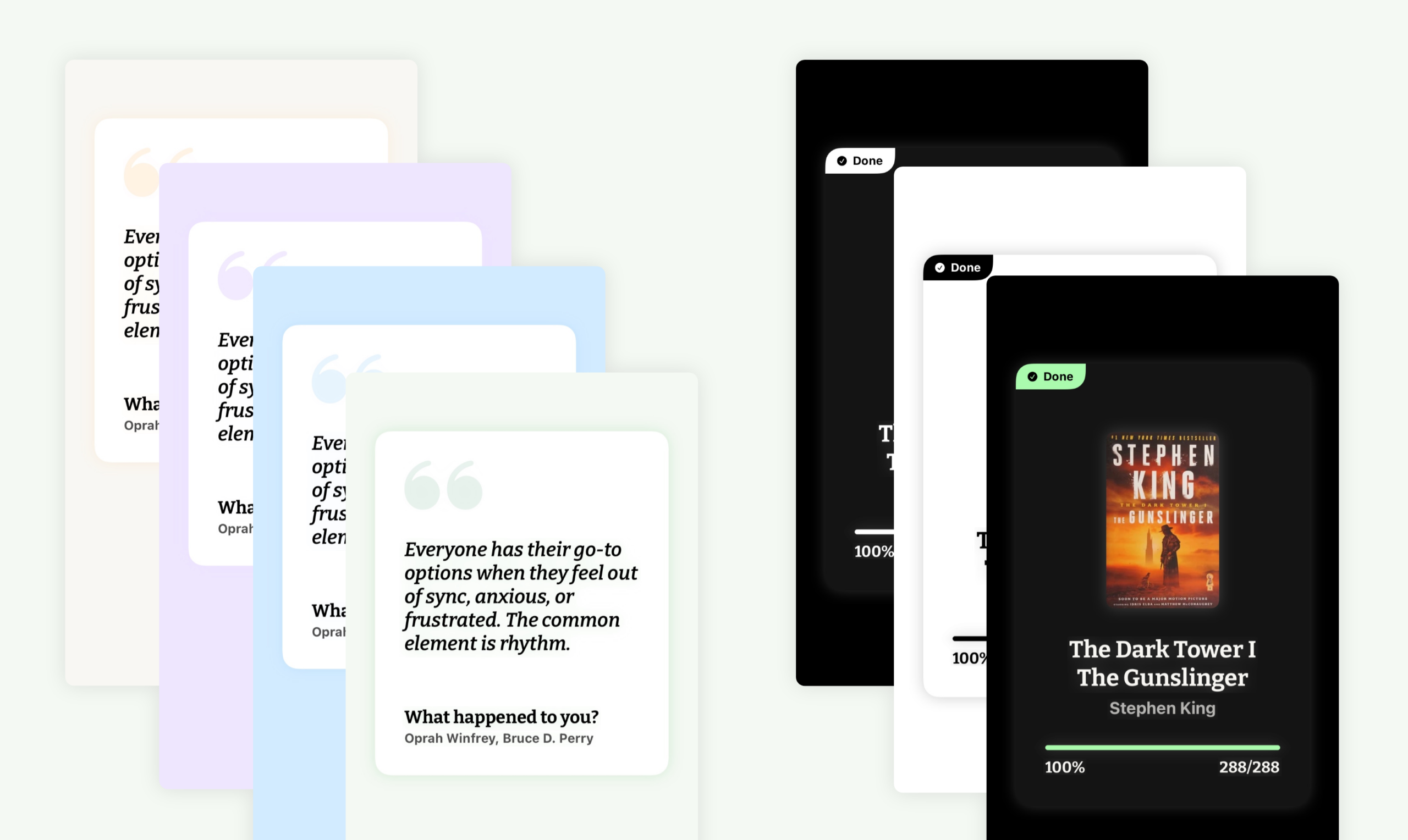
Create beautiful shareable images of your quotes, reading progress, and book lists with different color themes.
For book cards, progress is automatically shown. If you have finished the book you are sharing, you will have to option to enable the celebration mode for this card; showing the number of hours and sessions you spent with the book — all from Kiveo’s reading sessions.
For quote cards, the quote content is automatically formatted so it sits nicely in a card. You have the option to disable the inside card as well, for an even cleaner result.
Lastly, you can now share book links directly from Kiveo. For other Kiveo users the link will open the book directly in the app.
Your Library, Your Way
Custom Books
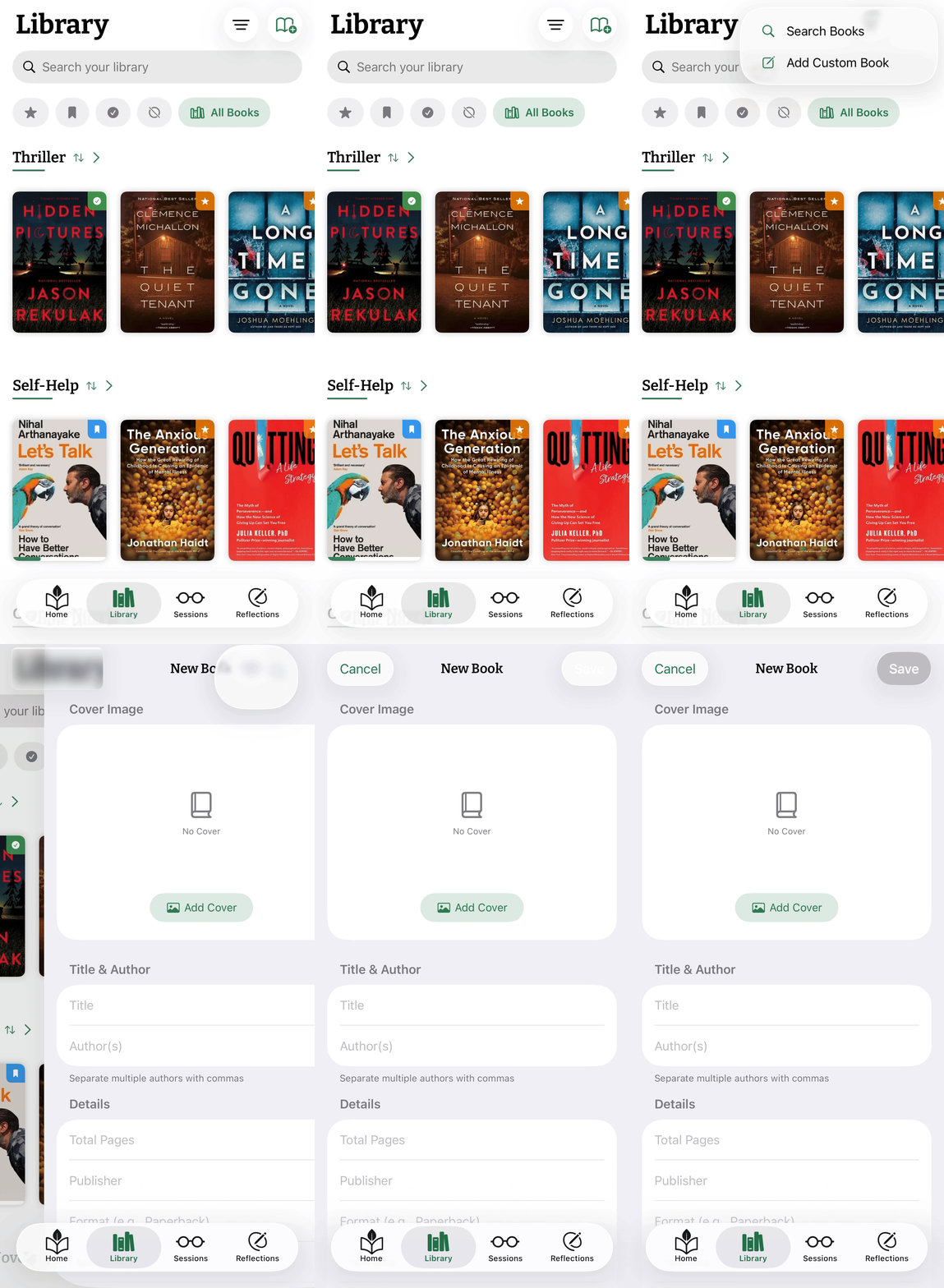
You can now add custom books manually in Kiveo.
Perfect for rare editions, self-published works, or personal journals.
To add a Custom Book, tap and hold the “Add Book” button in the Library screen. A small menu will appear, with option to search for books, or add a custom one.
In the editor you can pick a custom cover image, and fill out all the information for the book — most of it is optional.
Across the app, Custom Books work just like any other book: you can add them to shelves, update progress and status, and log or start Reading Sessions.
Book Nicknames
Sometimes, books will land in your library with longer names; they may have extra words that you don’t necessarily need. On some occasions, these may simply be a short description; a subtitle. Sometimes it’s probably something unwanted (like “Now Streaming on Chillflix!”).
You can now set Nicknames to books in your library. These nicknames are used throughout the app, wherever the book is displayed. A small indicator is shown by the book title nickname when it is set you can tell at a glance whether it’s the original title or not.
The original title can be seen in the book detail page.
Your Reading Data, Yours Anywhere
Data Import And Export
If you’re coming from Goodreads or another reading app, you can now bring your library with you. Kiveo supports importing your books, shelves, and reading history — so you can pick up right where you left off.
And because your reading data should always belong to you, we’ve also added full export support. Download your library anytime, no questions asked.
iPad Support
Kiveo now feels right at home on iPad. This isn’t a stretched phone app — it’s a proper iPad experience, designed to take advantage of the larger screen. Your library, sessions, and stats all have room to breathe.
And A Few More Improvements
Beyond the big features, we’ve made a handful of smaller improvements across the app:
You can now filter your homepage stats by year — perfect for looking back on a full year of reading, or seeing how the current one is shaping up.
Book dates are now editable too. If a start or finish date doesn’t look right, you can adjust it anytime from the book detail screen.
And throughout the app, we’ve made small refinements to make things feel smoother and more polished.