
How Kiveo works.
We built Kiveo for people who love reading but don’t love the noise of other book tracker apps. A quiet place to track what you read, save the lines that matter, and watch your reading life take shape.
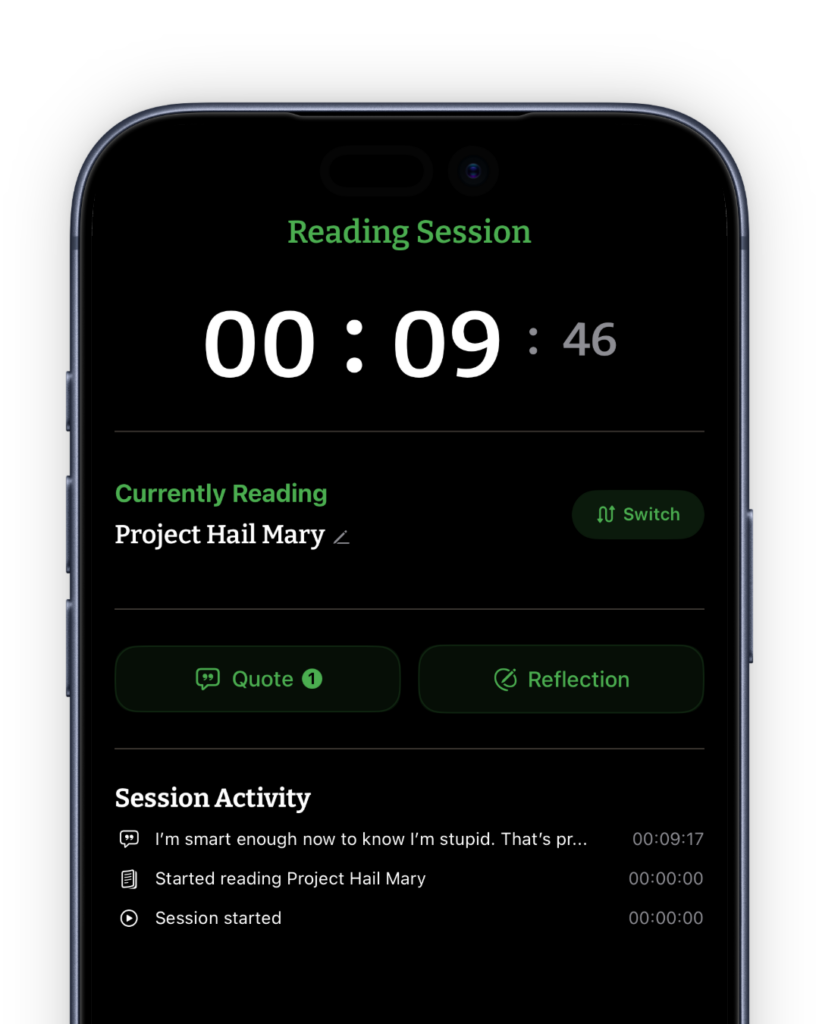
Read at your own pace. We’ll keep time.
When you settle in with a book, start a reading session. Kiveo counts the minutes in the background, even if you leave the app; a gentle Live Activity notification on your lock screen shows the session running without pulling you back in.
And when reading happens off schedule, log it after the fact. We’re not here to penalize that.
It does
- Start, pause, resume. Each session logs against its book, with date and duration.
- Totals your time per book. Never compared between books, or between readers.
- Keeps a Live Activity notification on your lock screen while a reading session runs.
- Lets you log a session after the fact, for reading that happened away from the timer.
It doesn’t
- Set targets you didn’t ask for, or coach your speed.
- Send reminders unless you turn them on. Even then, they invite rather than check up on you.
- Keep streaks to add pressure to your reading life.
The line that stopped you,
kept properly.
Some quotes deserve better than a dog-eared page. Or worse, to be forgotten!
Type the passage that stood out or point your camera at the page and select the line, note where it lives, and add a reflection if you feel moved to.
There is no enjoyment like reading!
Saved from Pride and Prejudice, Jane Austen · p. 55
It does
- Adds a passage in a few taps, typed or scanned straight from the page. The reflection field is optional.
- Search across every quote you’ve ever saved.
- Keeps quotes attached to their book, with page number and date.
- Grows your reading journal alongside your library, one book at a time.
It doesn’t
- Collect star ratings for an audience.
- Publish anything. Your notes are yours alone.
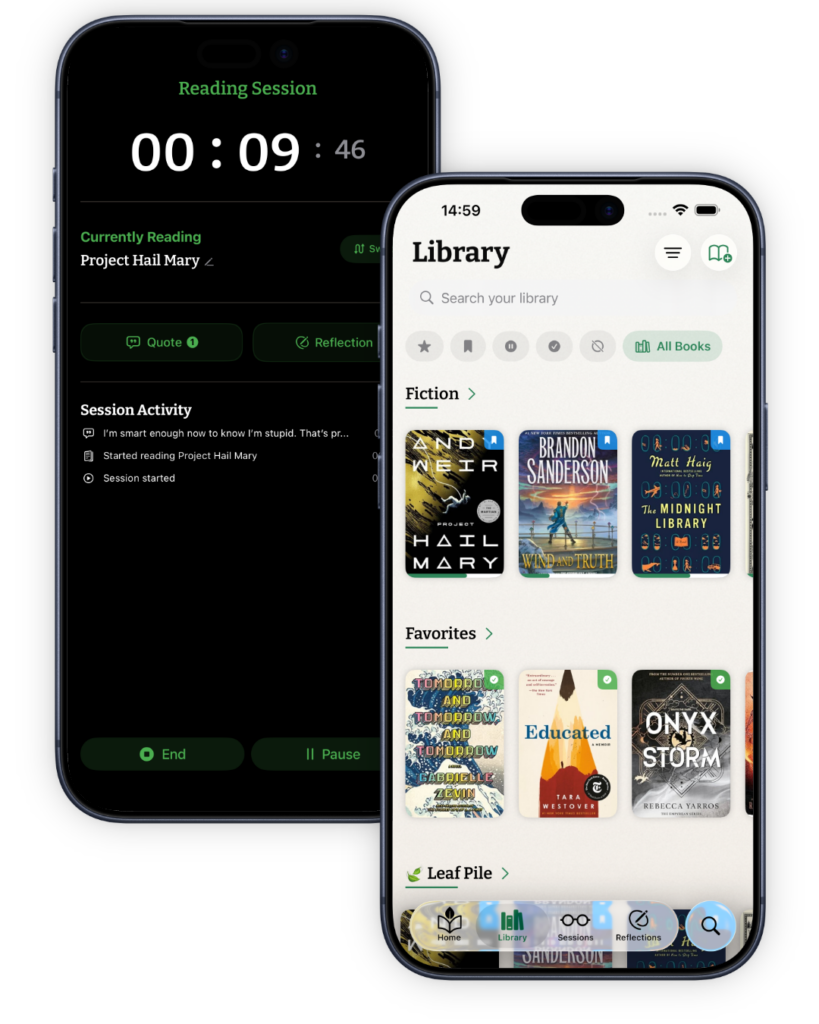
A library organized your way.
Keep everything you’re reading, have read, or want to read on shelves you control. Add books by ISBN scan or a title search, and file each one where it belongs.
Started a book that didn’t land? Set it aside. We don’t call it quitting; some books just aren’t right for right now.
If a book isn’t in any catalog (a zine, a family memoir, an out-of-print find), add it by hand with your own cover.
It does
- Adds books by ISBN scan, a title or author search, or by hand when the catalog doesn’t know them.
- Four statuses: currently reading, finished, set aside (paused or DNF), want to read.
- Sorts by author, date added, or status, and searches across everything.
- Keeps custom shelves your way, and hides the empty ones.
- Treats a book you added by hand like any other: sessions, quotes, reflections, and shelves all work the same.
- Lets you read a finished book again. Each reading keeps its own dates, sessions, and progress, while your quotes and reflections stay with the book.
It doesn’t
- Auto-categorize your books by genre or mood.
- Make any shelf public.
- Count a re-read as a second book. The pages and hours count every time, because you read them every time.
Seven books, within arm’s reach.
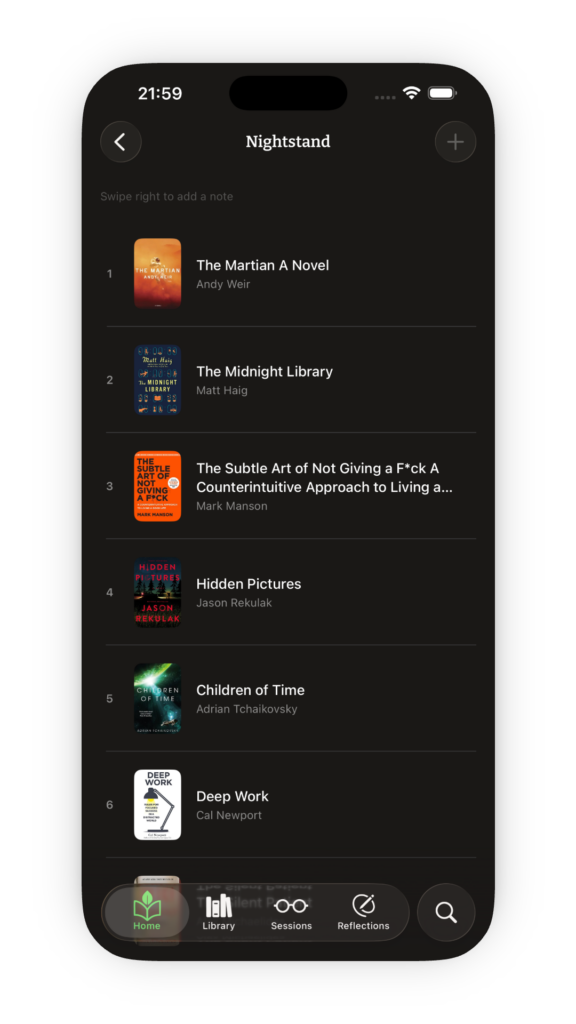
Need to narrow down your next read? The Nightstand holds up to seven books from your TBR (to-be-read) list: the ones you’re sure to reach for next.
A reading list that scrolls forever isn’t helpful. Seven TBR books is enough to choose from, keep you focused, and eliminate noise.
It does
- Drag to reorder. What you’ll read next sits on top.
- Promotes a book from your library in a single tap.
- Quietly opens a slot when you finish a book.
- Makes room for finished books too, for the ones you’re ready to return to.
It doesn’t
- Hold an eighth book. It’s easier to narrow down when you have less noise.
An intention, not a target.
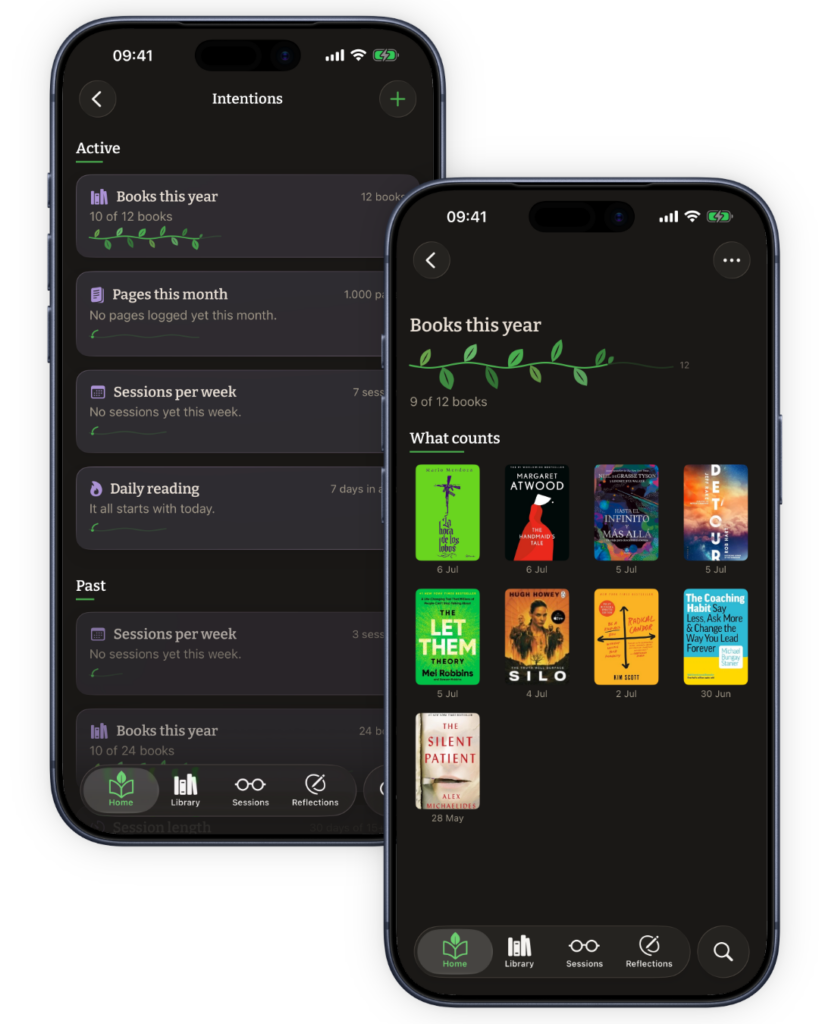
Want to set a reading goal of twenty-four books this year? You can tell Kiveo that. Choose from a short set of presets, set it in a few taps, and go back to your book. Kiveo works out where you are from the reading you already record.
If an intention stops fitting the year you’re having, let it go. Letting go isn’t falling short; plans change, and so do readers.
It does
- Sets an intention in a few taps, from a short list of presets.
- Holds up to five at a time.
- Follows along from the sessions and books you already log. Nothing to check off.
- Leaves a set-aside book out of your book count, while its pages and hours still count everywhere else.
- Marks the moment quietly when you reach the end of one.
It doesn’t
- Ask you to set one. Dismiss the card on Home and it stays gone; intentions wait in Settings if you change your mind.
- Treat letting one go as failure. One confirmation, and it’s done.
- Compare your intentions with anyone else’s.
And a few more features you’ll love.
Coming from Goodreads?
Bring your books, shelves, and reading dates over in a few minutes. Anything we can’t find comes along by hand.
iCloud Sync
Private by default, across your iPhone and iPad.
Import & export
Your library is yours: books, shelves, quotes, and reflections, exported whenever you want.
Share Cards
Turn a quote or a finished book into an image, whenever you want to. Nothing leaves unless you send it.
Search
Across your library, quotes, and reflections. Find new reads from the same screen.
Dark mode
Light, dark, or follow the system. Our default is to follow yours.
Reduce motion
Animations stand down when your system asks them to.
Custom app icons
Illustrated icons to make Kiveo yours, exclusive to supporters.
Gentle reminders
Off until you turn them on. A note at the hour you choose, or one after a few quiet days.
* * *
Free to download. No account required. Nothing sold, nothing tracked for profit.