

Primroses are among the first things to bloom when winter loosens its grip. They don’t announce themselves — they just appear, quietly, at the edges of paths. That felt right for this update. Kiveo 1.2 isn’t a reinvention. It’s the set of things we’ve been meaning to build for a while now — features that bring the app closer to how reading actually works.
Primroses are among the first things to bloom when winter loosens its grip. They don’t announce themselves — they just appear, quietly, at the edges of paths. That felt right for this update. Kiveo 1.2 isn’t a reinvention. It’s the set of things we’ve been meaning to build for a while now — features that bring the app closer to how reading actually works.
We’re calling it Primrose. Here’s what’s in it.
The Nightstand
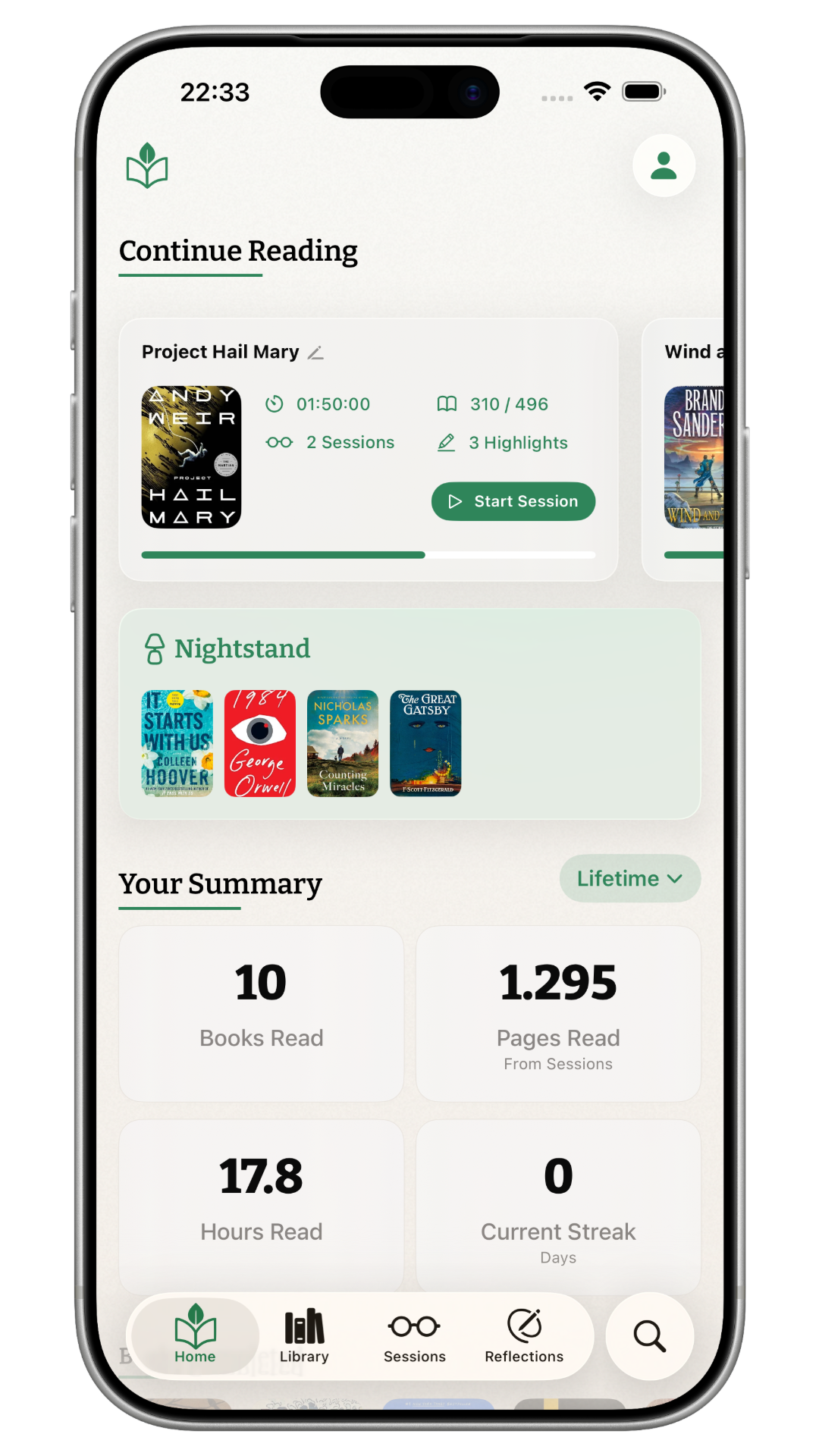
Every reader has one. A short stack of books on the bedside table — the ones you’re actually reaching for next. Not your full wish list. Not everything you’ve ever been curious about. Just the few that made the cut.
The Nightstand is exactly that: a queue of up to seven books, right on your Home screen. Drag them into the order you want. When you finish one, the next is already there.
Seven felt like the right number. Enough to have options, few enough that the list means something. A reading list that scrolls forever isn’t really a plan. It’s a wish.
Setting books aside
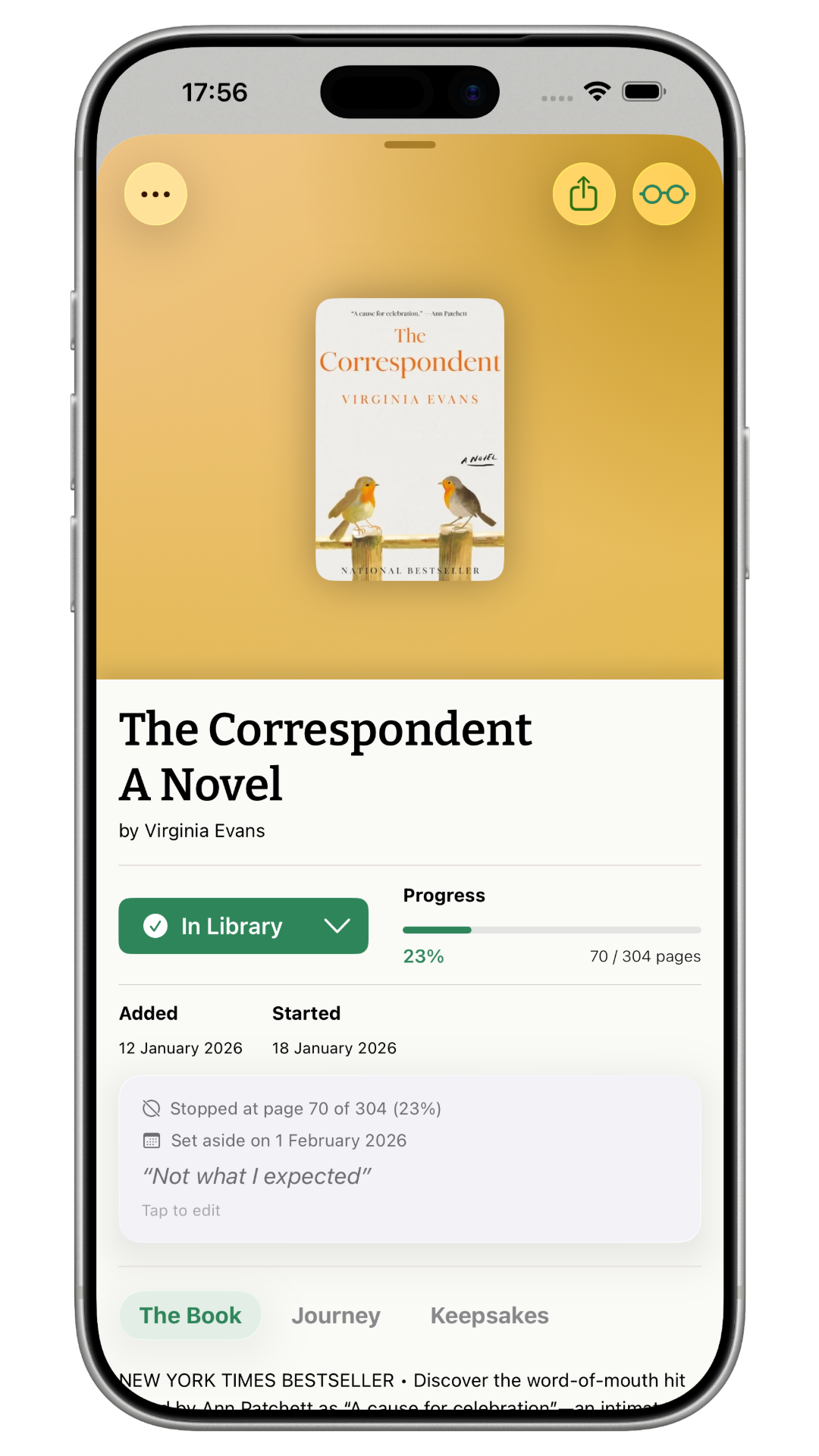
We added two ways to acknowledge that honestly. Paused is for the book you fully intend to come back to — it moves out of “Currently Reading” without any finality. Did Not Finish is for the one you’re letting go of, and now it comes with an optional note: “Want to remember why?” A few words for your future self, not a judgment.
Some books aren’t right for right now. Maybe you lost the thread fifty pages in. Maybe life got in the way. That’s not failure — it’s just reading.
Both show up in your stats. Both count. Because the books you set aside are part of your reading life too.
Your book, your edition
You finished a paperback but Kiveo pulled in the hardcover metadata. Or you picked up a different printing halfway through. Or the cover just doesn’t look like the one on your shelf.
Swap Edition lets you switch to a different edition of the same book — new ISBN, page count, format, cover — while keeping every session, reflection, and quote exactly where it was. Nothing is lost.
And if the edition is right but the cover isn’t? Swap Cover lets you pick a different cover image from other editions, or choose one from your own photos. The metadata stays the same. It’s purely cosmetic — because the book on your screen should look like the book in your hands.
Quiet nudges
Reading reminders are tricky. Too aggressive and they become guilt. Too passive and they vanish into the notification noise.
Ours are off by default. If you turn them on, you get two gentle options: a daily reminder at a time you choose — “Your copy of Pachinko is waiting” — and an inactivity nudge that checks in after a few days of no sessions. One nudge per cycle. No streaks, no shame.
We wanted reminders that sound like a friend leaving a bookmark on the kitchen table. Not an app demanding your attention.
A search screen that isn’t blank
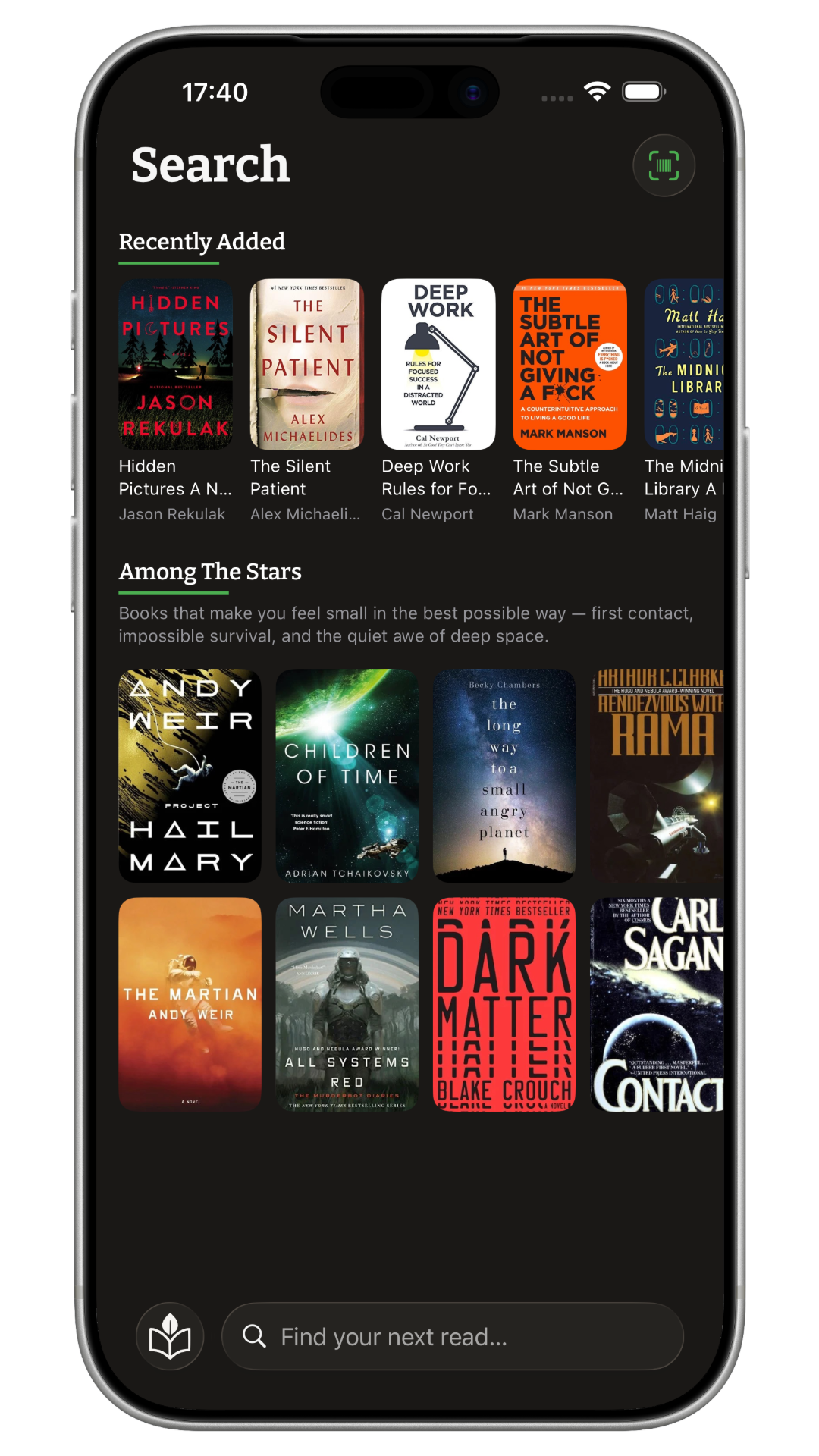
Before Primrose, opening search gave you a cursor and nothing else. Now the search screen has something to say before you start typing.
Seasonal picks — a small, curated set of books we think are worth your time — sit at the top, changing with the season. Below that, your recent searches, so returning to something you looked up last week doesn’t mean remembering the exact title.
It’s a small change, but it makes the search screen feel like a room with books in it instead of an empty field.
Under the hood
Live Sessions are more reliable in this update. We fixed a bug where the Live Activity on your Lock Screen could duplicate or reset when switching between apps. Sessions now hold steady, the way they should.
Primrose is available now
Kiveo 1.2 is a free update on the App Store. Everything above is included for all readers — no paywall, no upsell.
If this sounds like the kind of reading space you’ve been looking for, we’d love for you to try it. And if you’re already here — thank you. Updates like this one exist because of people who care enough to tell us what’s working and what isn’t.
Happy reading. No rush.